
Key Updates
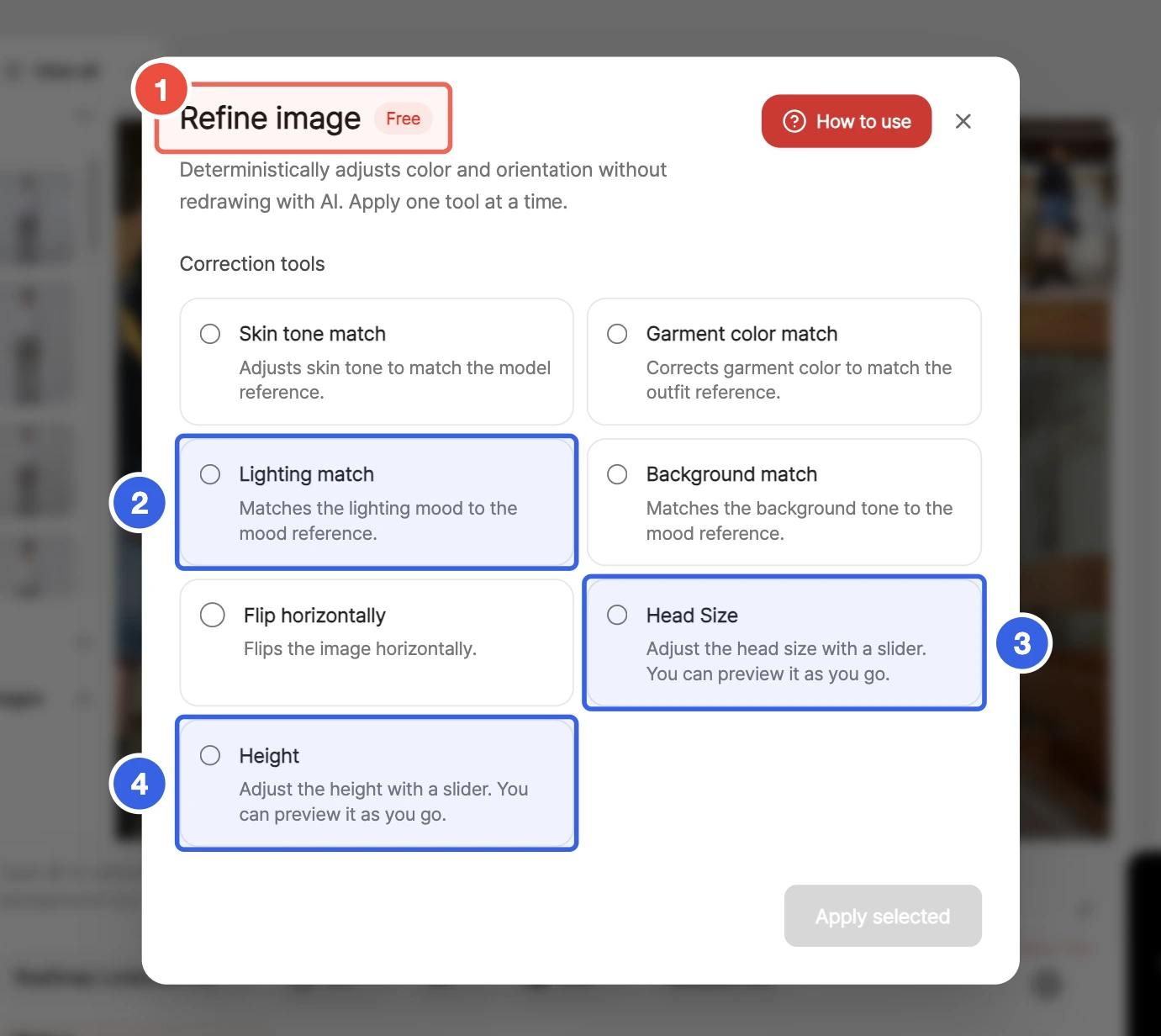
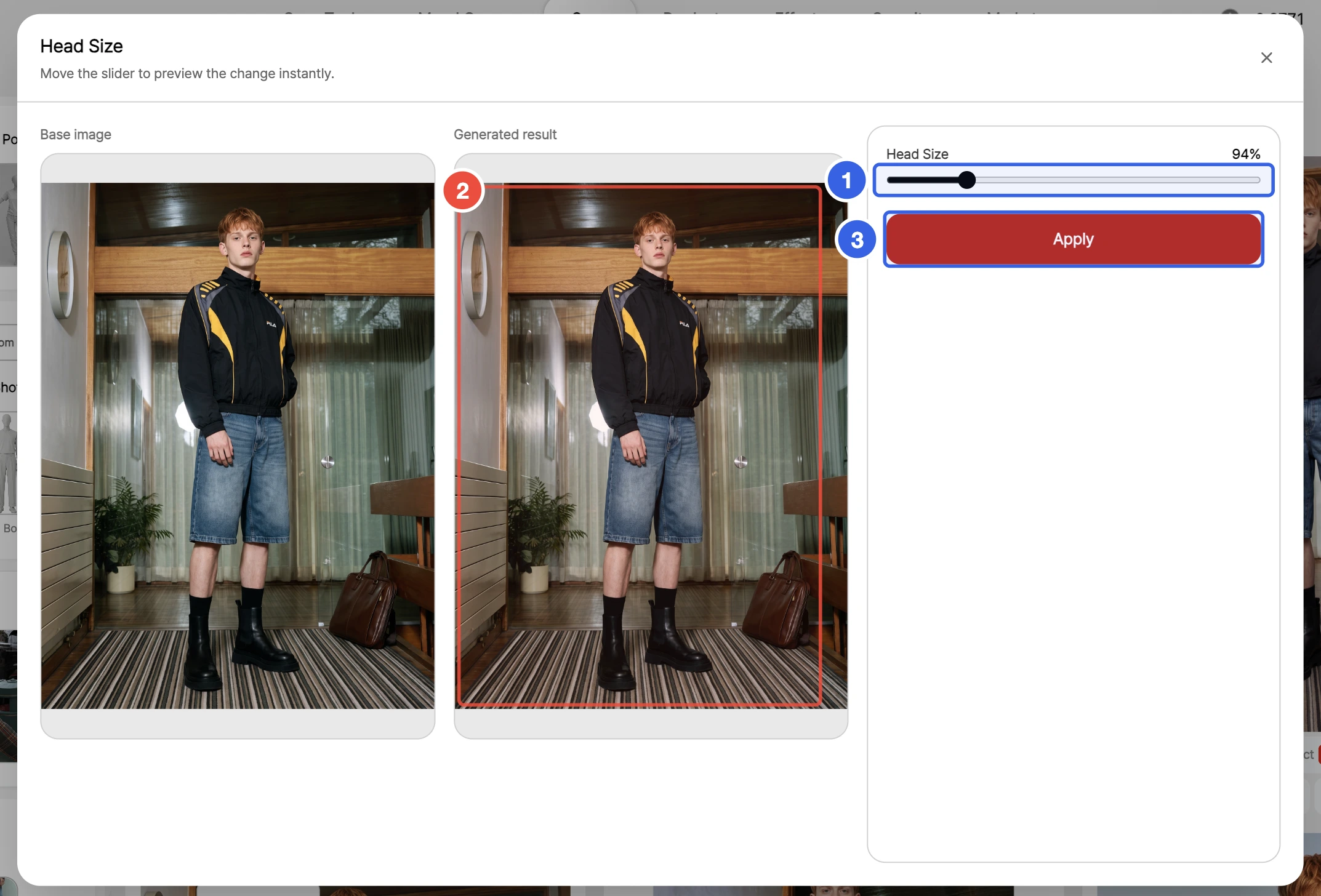
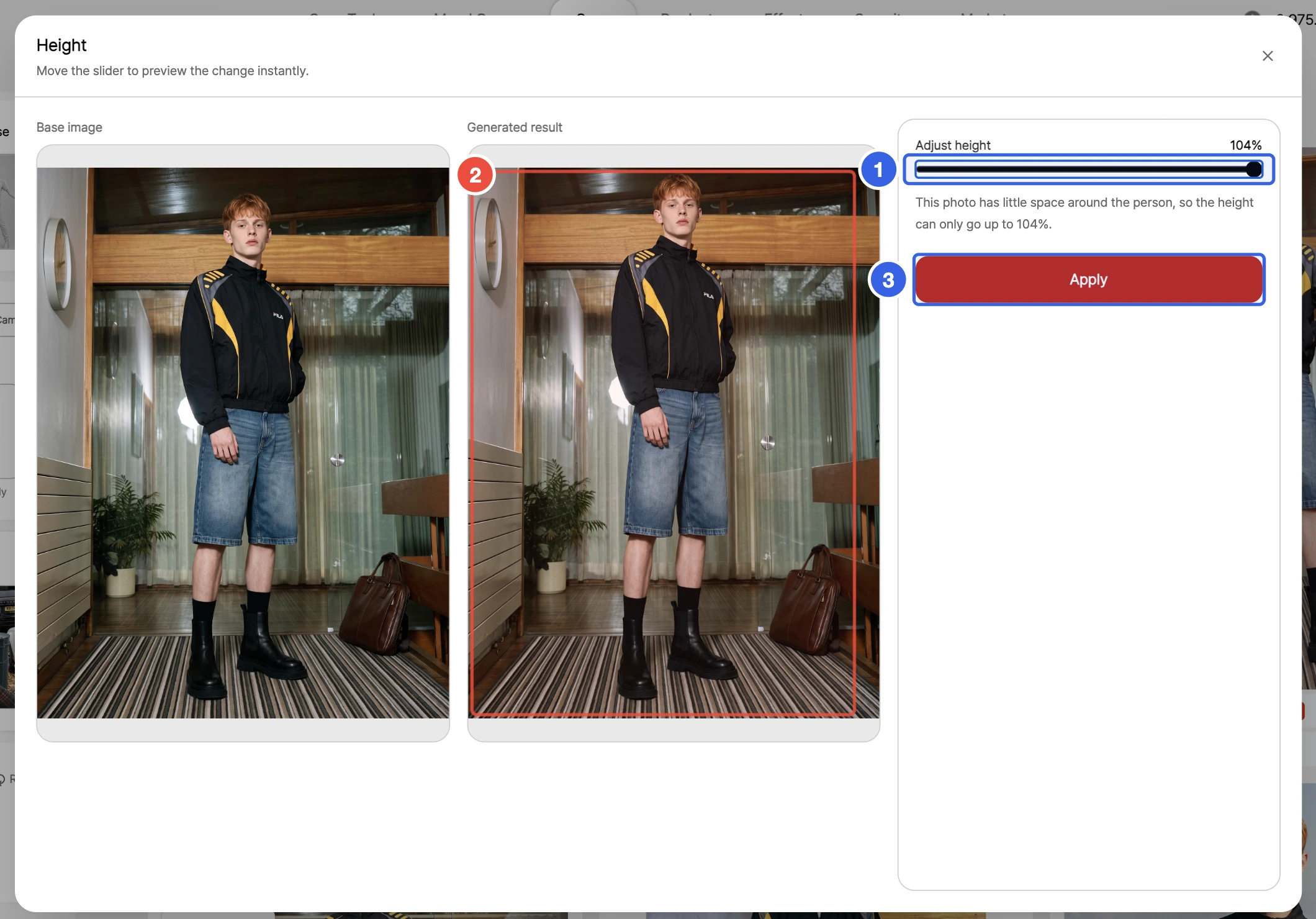
- Head Size and Height are now free. These two tools used to cost credits; you can now use them as many times as you like at no cost. Move the slider to see the result change right away, then apply to save exactly what you see as a new result. Height is adjusted by lengthening or shortening the legs, and both tools are available from the tool list on the result screen and in Refine image.
- Match a result's lighting mood to your mood reference with Lighting match. Choose Lighting match in Refine image to shift the overall tone toward the reference while keeping the model and clothing as they are. Available for Studio, Lookbook, and Accessory Lookbook results.
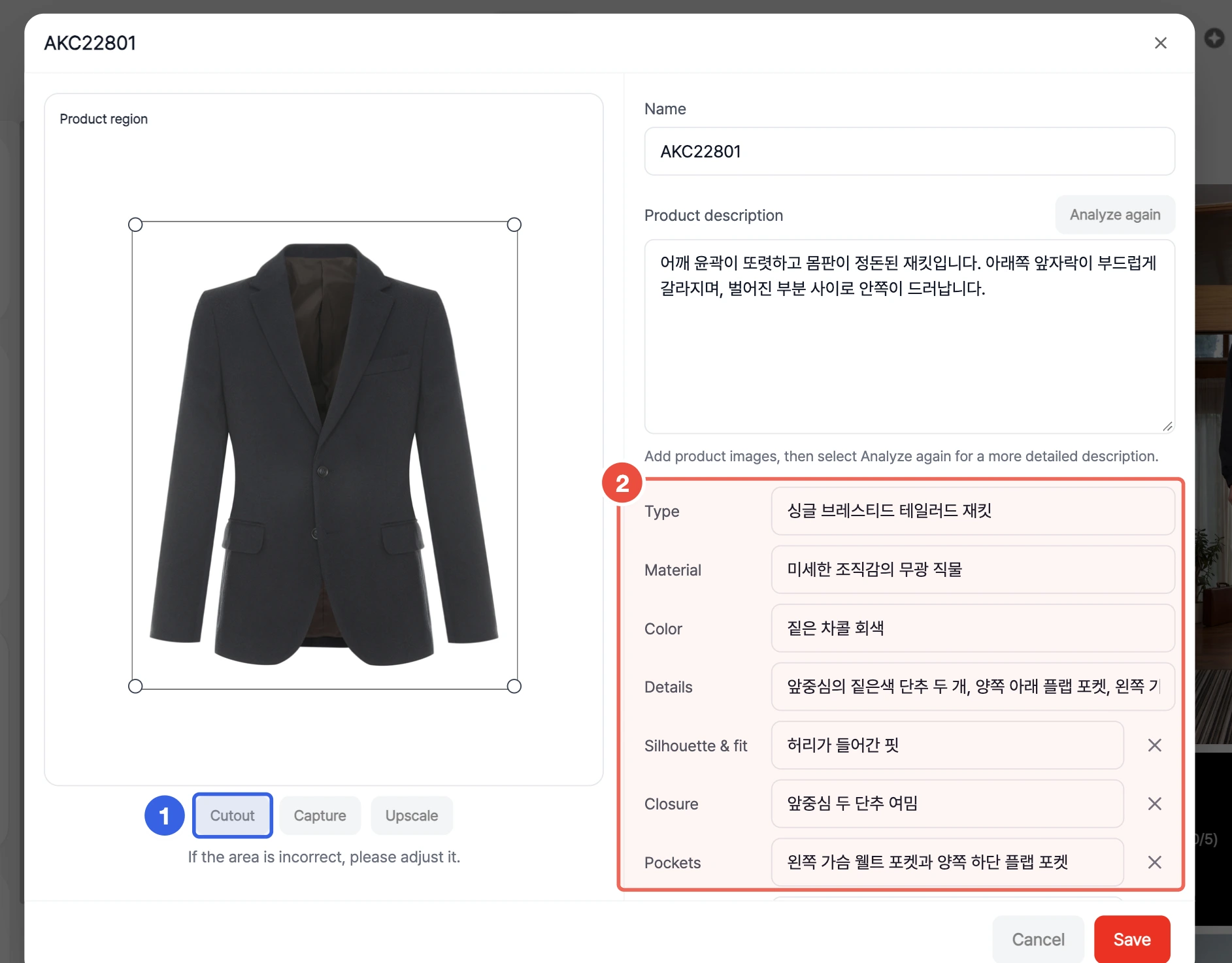
- Added a Cutout button that keeps only the garment in My Item photos. Enter the item you want to keep and run Cutout to keep just that item on a white background. Compare it with the original before applying.
- You can now enter attributes and photo labels for My Items. Add attributes such as type, material, color, fit, and details, and set the type, view, and label for each photo so results reflect the item more accurately. My Items can also be added and used for generation in Product mode.
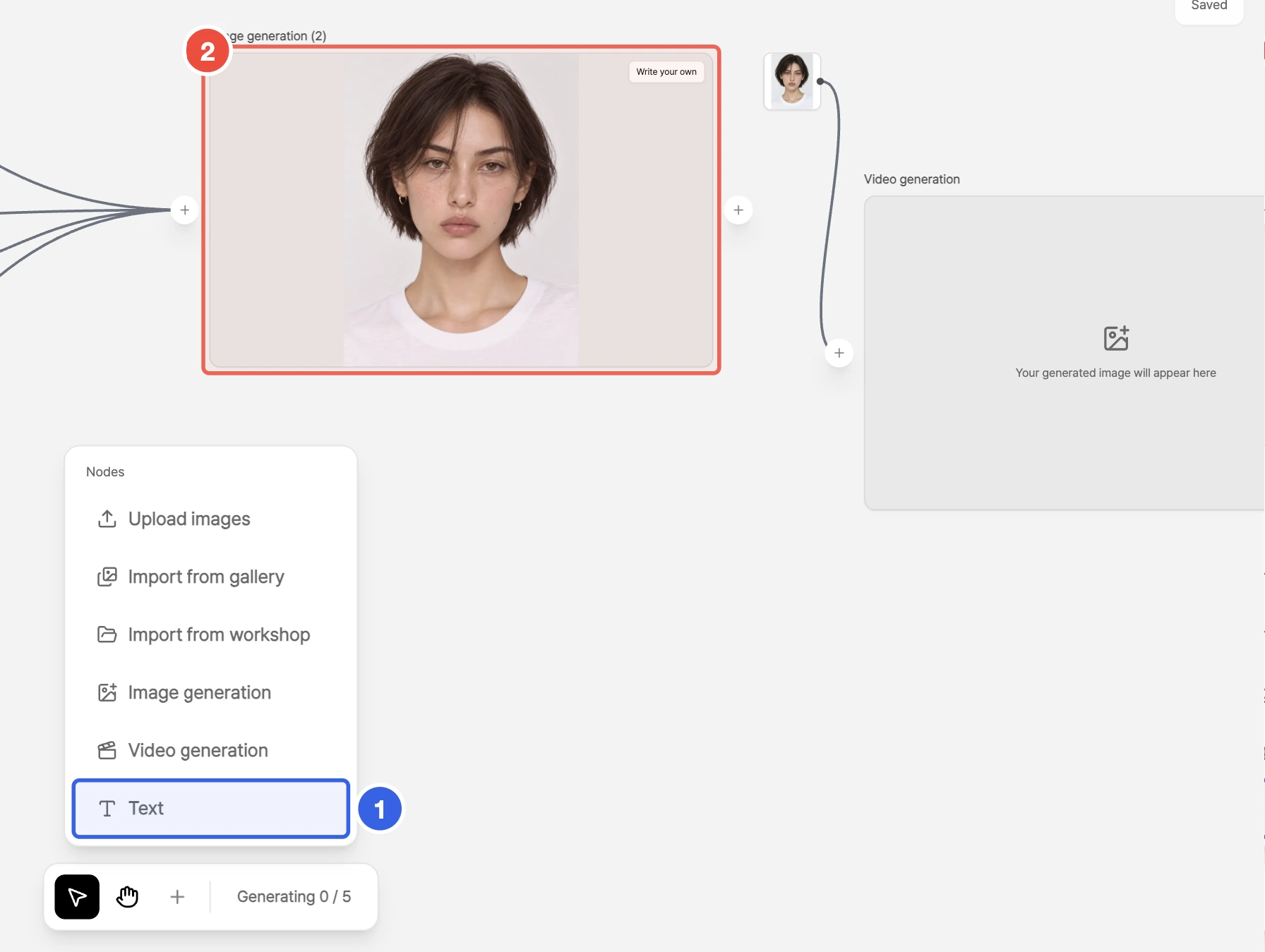
- Added text cards to Mood Canvas. Add text from an empty spot on the canvas to use as a note, or connect it to an image generation card to have it placed in front of the prompt automatically. Connect the same instructions to several generation cards to reuse them.
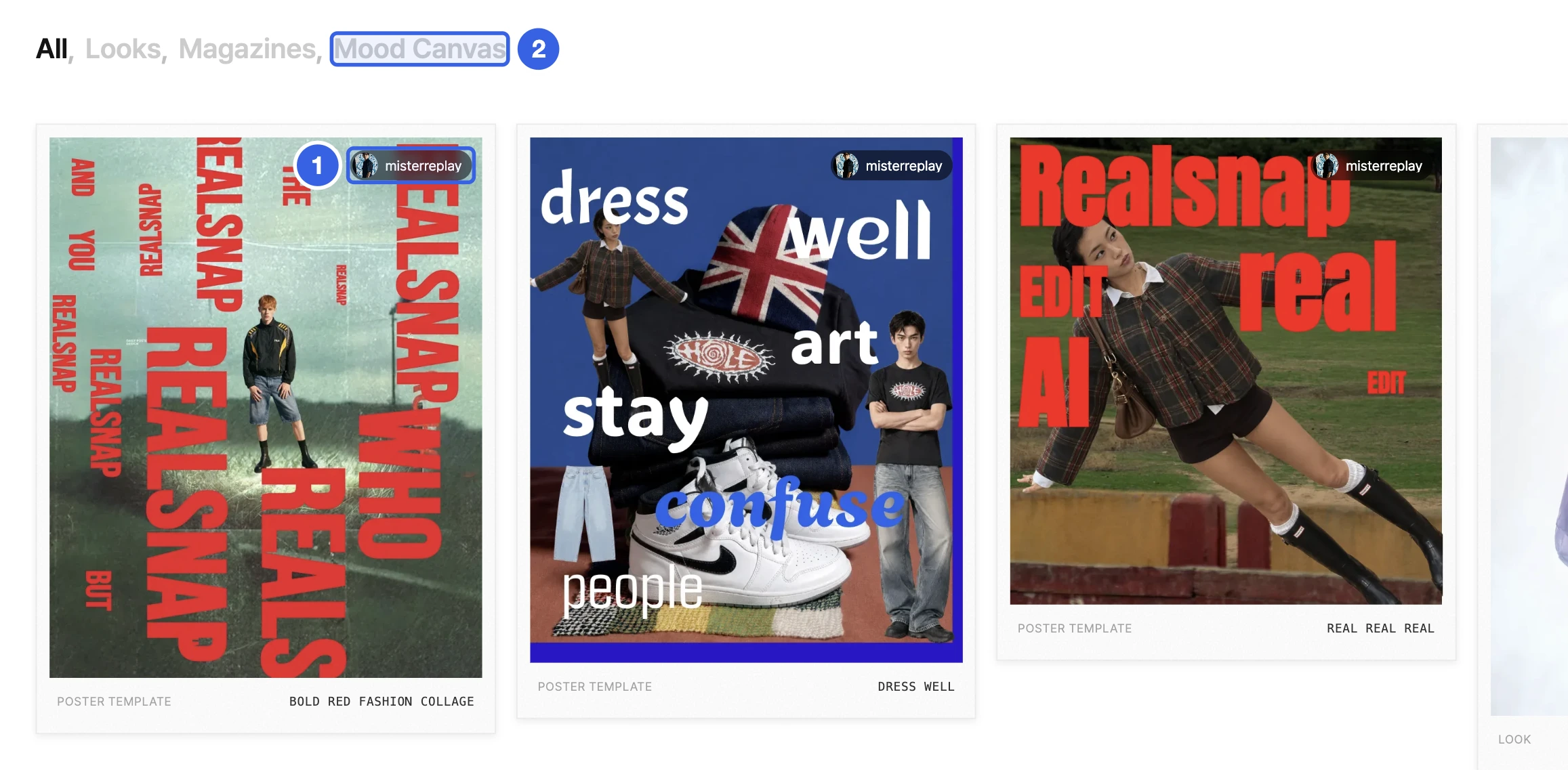
- See author profiles and portfolios in Editorial. Select the author on an editorial card or detail view to browse everything they have posted. Poster and design templates now appear together in the Mood Canvas tab, and selecting a card takes you straight to its preview in the editor.
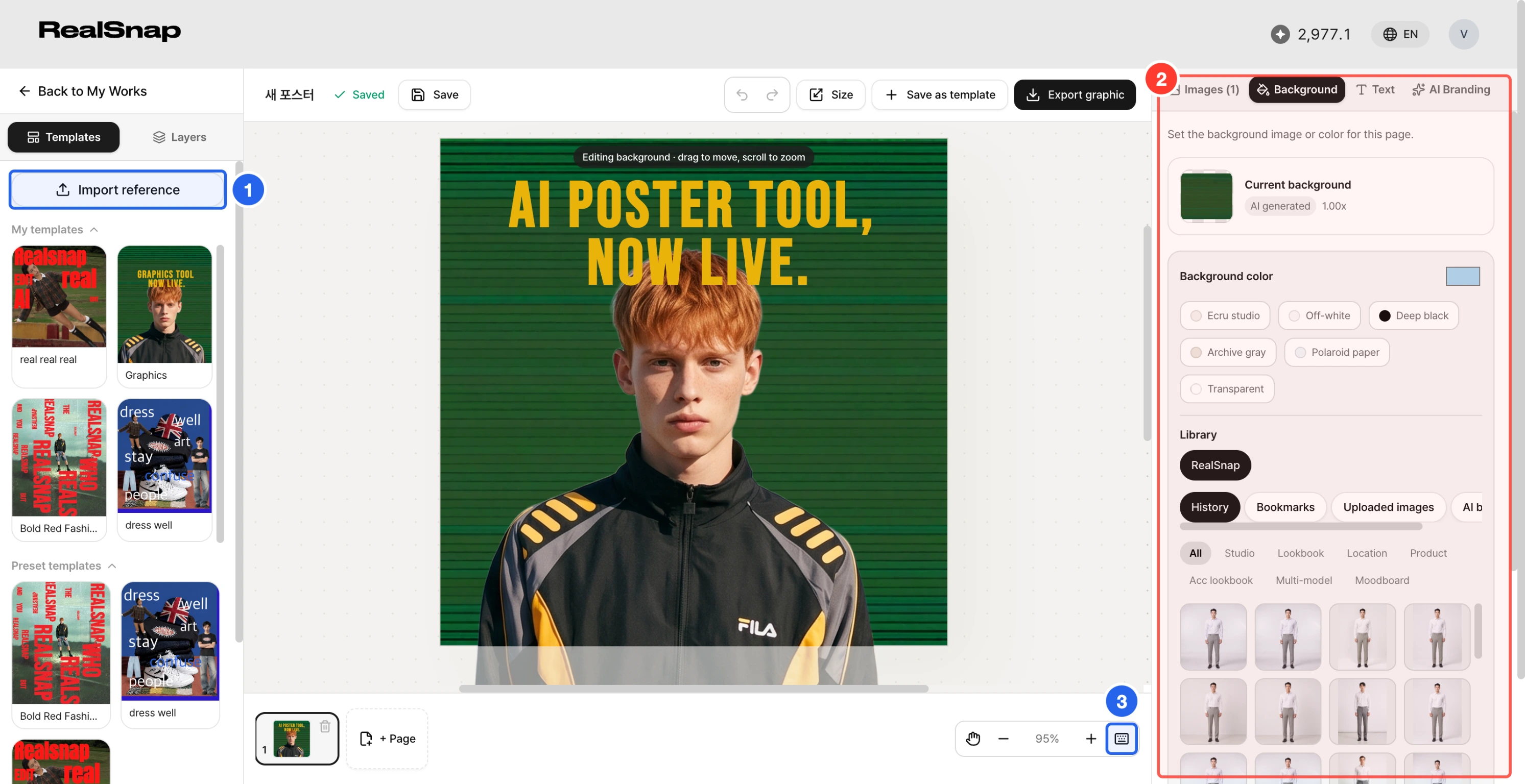
- Graphic Editor is now open to all users. REAL EDIT is now Graphic Editor. Anyone can preview templates, and editing is available on the Freelancer plan and above.
- Import a reference image as editable layers. Upload a reference to see its elements analyzed, choose the ones to bring in, and get a document where the background, images, and text move independently. Past results can be reapplied from History.
- Canvas editing in Graphic Editor is faster. Select multiple elements to move, resize, copy, and paste them together, with alignment guides and a shortcut help panel. Apply color, weight, and italics to just the selected part of a text, and pick previously created AI backgrounds again from the Background tab.
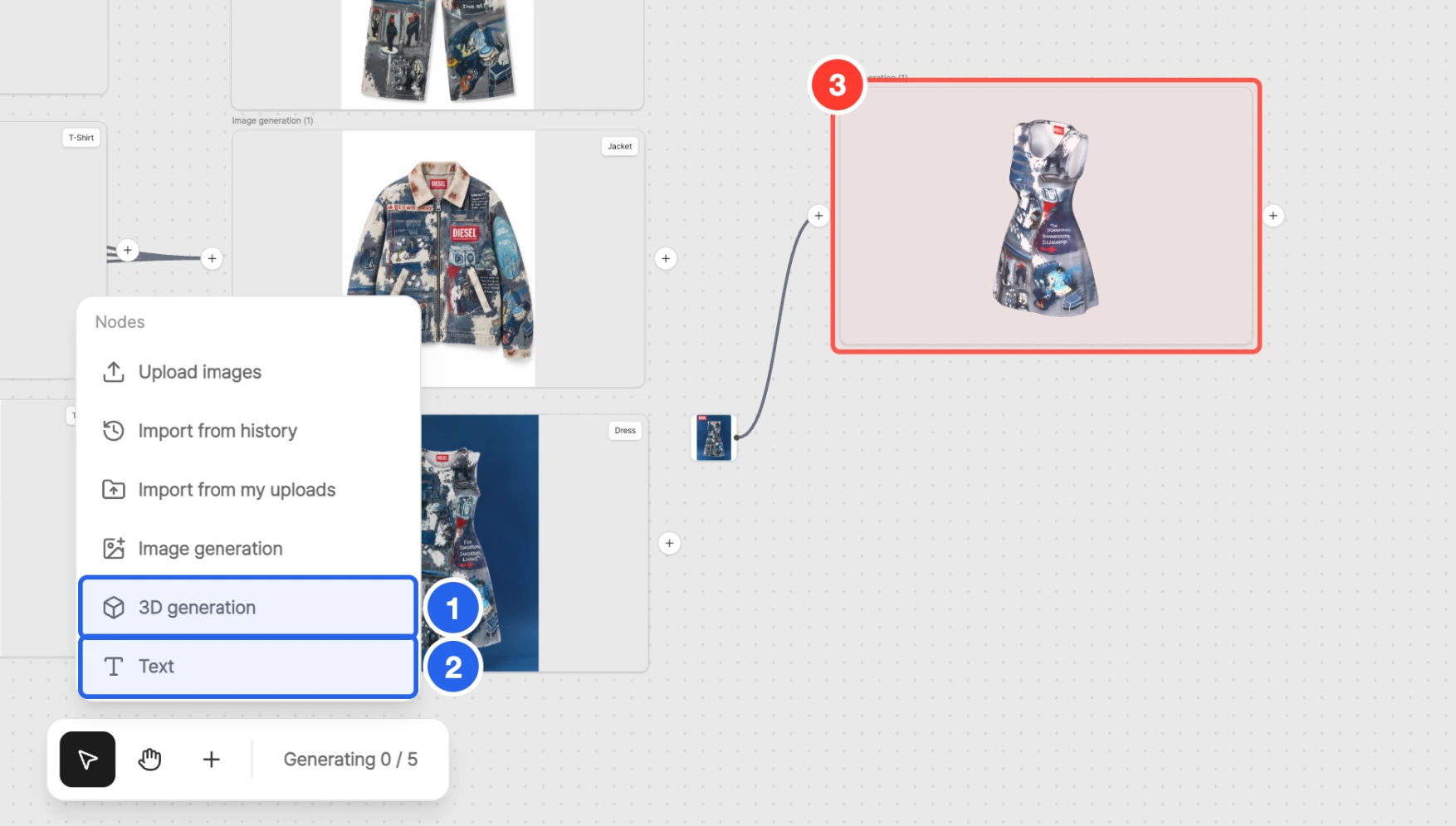
- Added a 3D generation card to Design Canvas. Connect up to six product photos by direction to create a 3D model, then rotate it on the result card or download the file. A text card has also been added; connect it to a generation card to place it in front of the prompt.
Usability Improvements
- Upscale now has its own button. Upscale has moved out of the download menu to a separate button on the result image, so it is quicker to find.
- Open the Clothes & Items window directly from Clothes Swap. Select the clothing slot to open the same Clothes & Items window used for generation and pick from your saved My Items and presets.
- Enter a different request for each image in Style mode. Enter a request that applies to every image and separate requests for images 1–4. The input shows the current character count.
- Generation now uses a single model, Lookbook Pro. Lookbook, Location, Accessory Lookbook, Studio, and Multi-model all generate with Lookbook Pro without a model choice, and the default resolution for the lookbook modes and Studio is 4K.
- See why a result was generated again. When a result falls short and is regenerated automatically, the first result is shown as a small thumbnail along with a plain-language reason.
- New sign-ups are told about their 5 free credits. Right after signing up, you can see the free credits you received and how to get started.