Key Updates
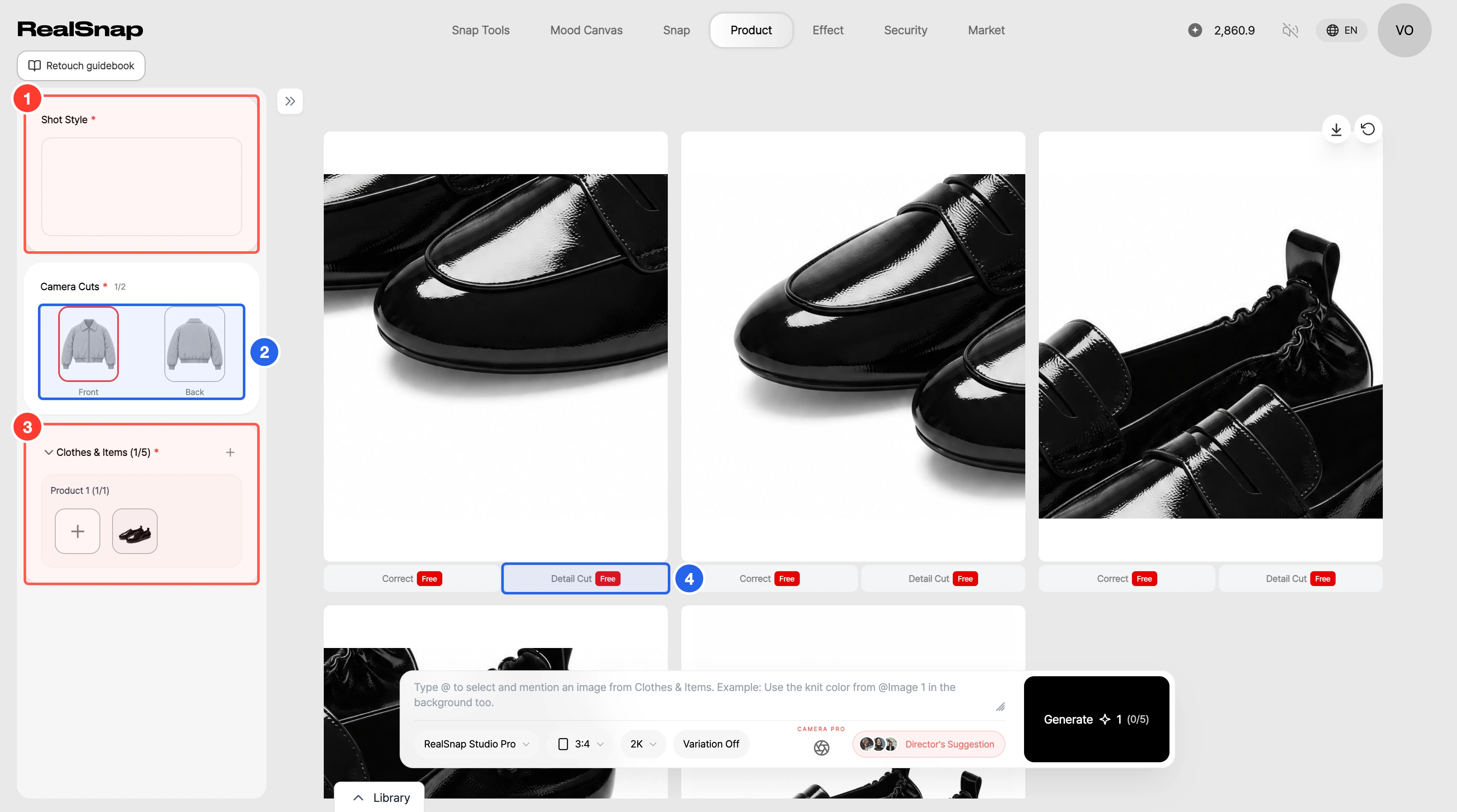
- Create front and back cuts of your products at once with Product Cut. Choose a shot style, select Front and Back under Camera Cuts, then add up to 5 products under Clothes & Items to create the selected cuts for each product. Generation requires a shot style. If a product is missing a photo for a selected side, you'll see which product and side are missing, and a window opens so you can add the photo right away.
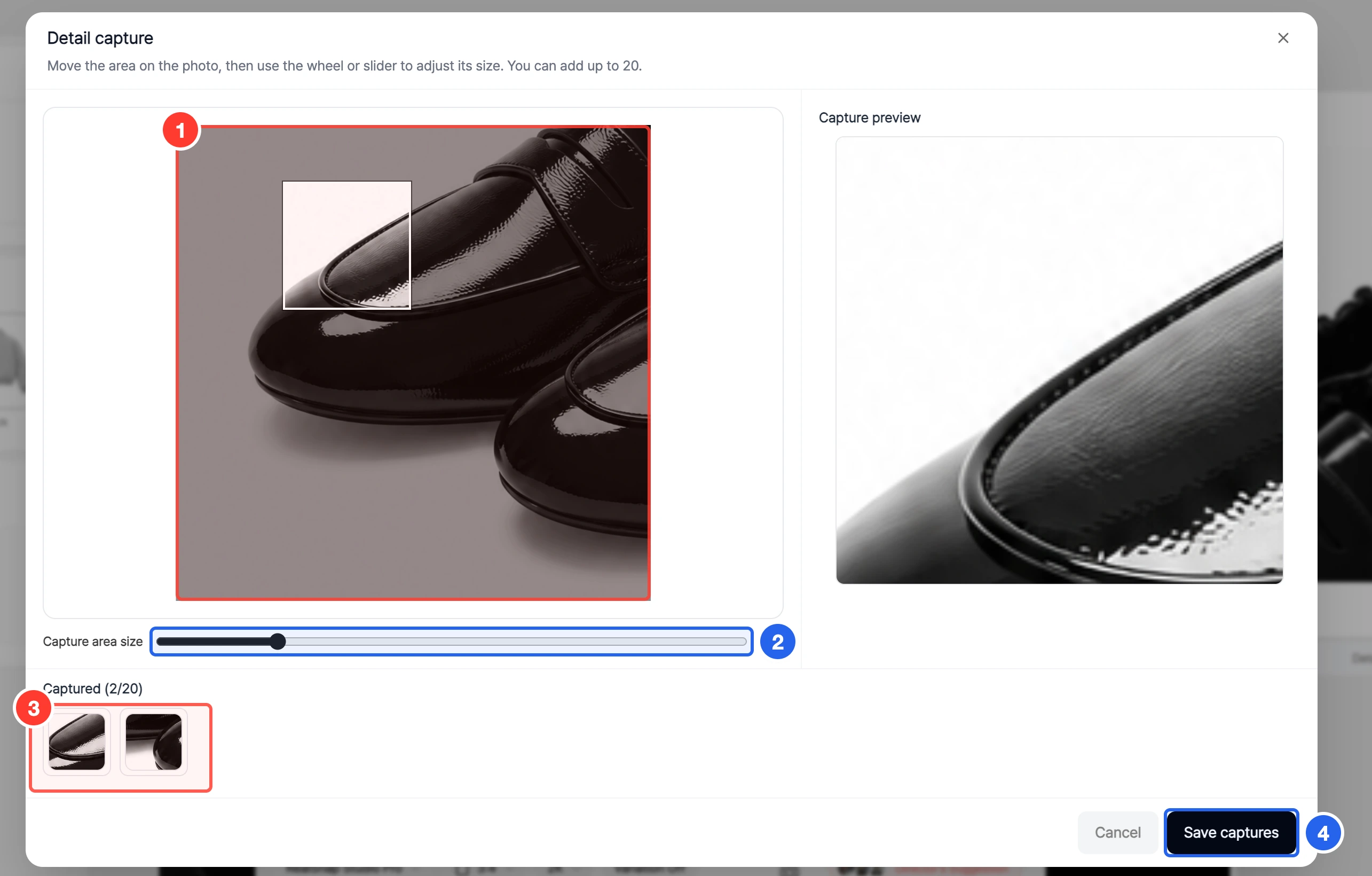
- Crop just the parts you want from a Product Cut result and save them as detail cuts. Select Detail Cut below a result, then move the capture area over the photo and adjust its size to capture up to 20 areas at once. Each saved capture is added as its own result, at no credit cost.
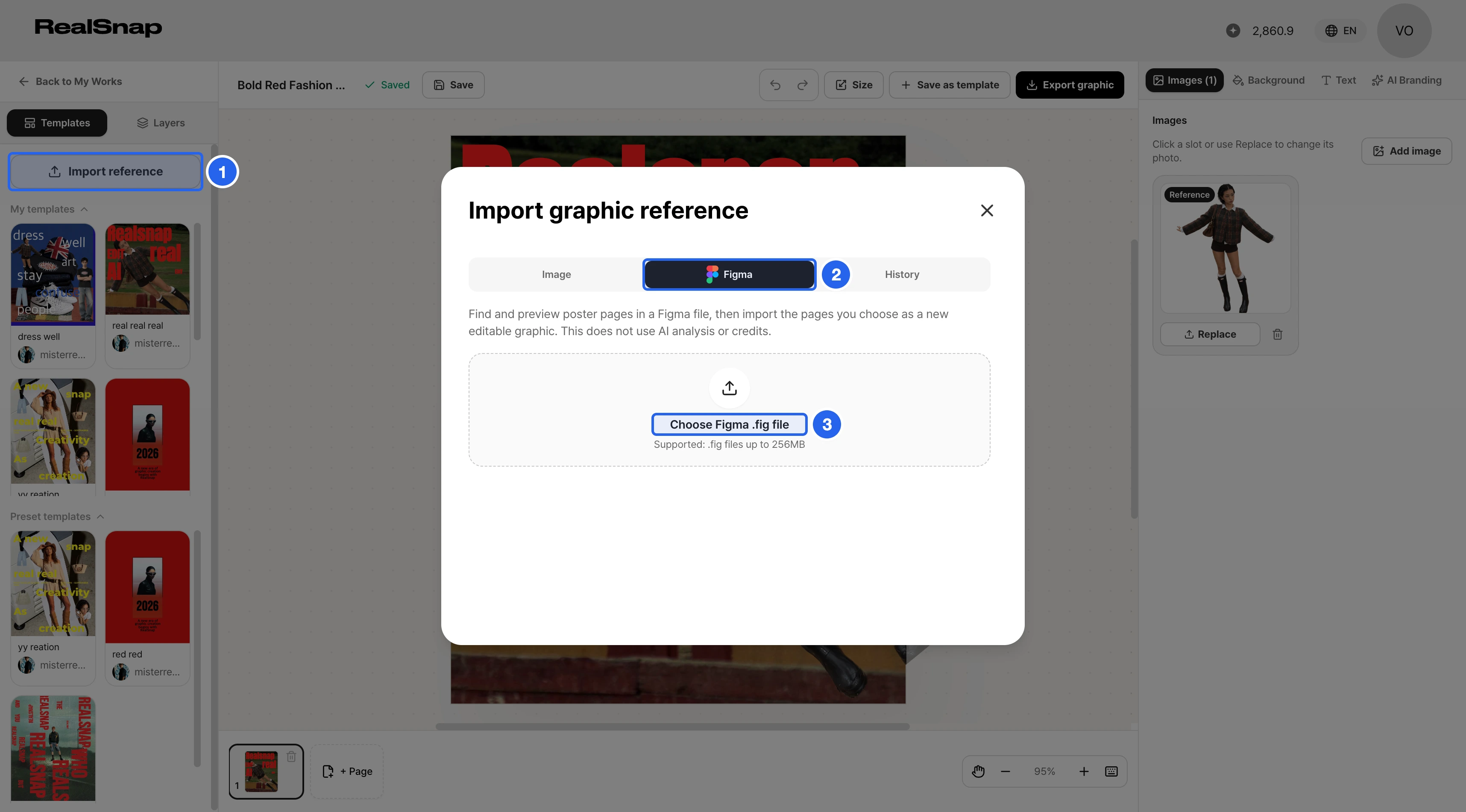
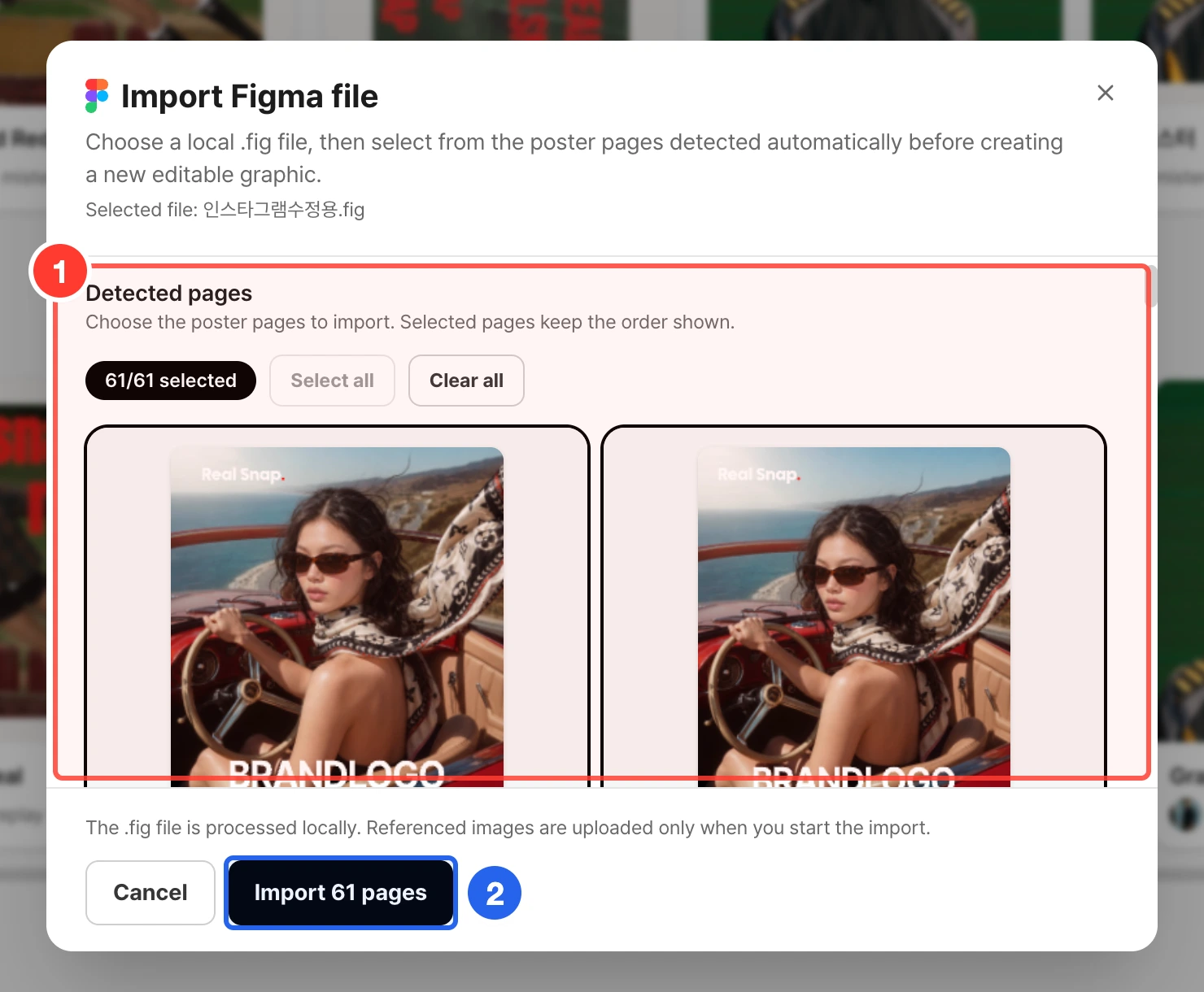
- Import Figma files into the graphic editor as editable graphics. In the editor, open Import reference, choose the Figma tab, and select a .fig file. Poster pages in the file are detected and previewed automatically. Choose the pages to import, and a new graphic is created with text, photos, and decorations as separate editable layers.
- Files are read on your device, with no AI analysis or credits used. Unsupported fonts or effects are replaced with the closest match, and you'll see what changes before you import.