Updates

How to Apply Your Own Camera Composition with My Shots

Updated Jul 22, 2026

Upload an image with the camera composition and pose you want, then use it as a custom shot in the AI studio.

Where can I find it?

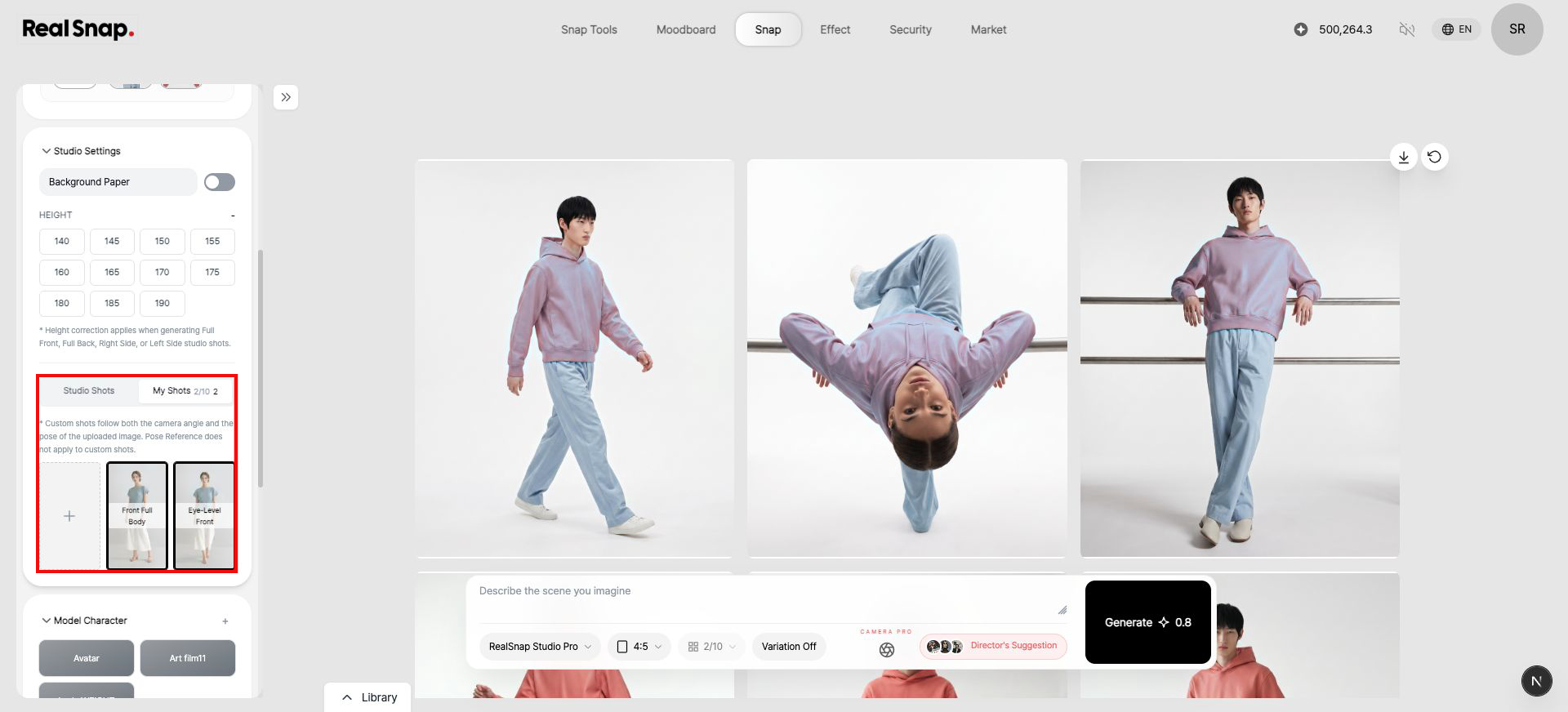
Open Studio mode in Snap, then select My Shots under Studio Settings.

My Shots tab and custom camera compositions in Studio Settings
Menu path: Snap > Studio > Studio Settings > My Shots
  • Menu path Snap > Studio > Studio Settings > My Shots
  • Note: You can save up to 10 custom shots. Both the camera angle and pose from the uploaded image are applied.
How to use it

  1. Switch to Studio mode in Snap.
  2. Select My Shots under Studio Settings.
  3. Select the + button and upload an image with the composition and pose you want.
  4. After analysis finishes, select the custom shot and generate your image.

Related updates

How to Apply Your Own Camera Composition with My Shots | RealSnap Updates