RealSnap Full outfit replacement / Outfit shape modification lets you completely change the clothes in an AI model shot or modify only the silhouette of the existing outfit.
Upload a clothing photo and click Create to see results where the model, pose, and background stay the same while the outfit is changed or its shape is modified.
Sometimes you like the model shot but only want to change the clothes
When creating AI model shots, you may like the model’s face, pose, background, and overall mood, but want to change only the outfit.For example, you may want to try a different product on the same model and background, or see the existing outfit with a slightly different fit or silhouette.
In this case, if you recreate the image from scratch, the model’s mood and the shooting composition that worked well may change too.RealSnap’s outfit replacement feature helps you keep the strong elements of the existing model shot while changing only the clothes or modifying only the outfit shape.
1. You can replace the entire outfit to create a model shot wearing different clothes
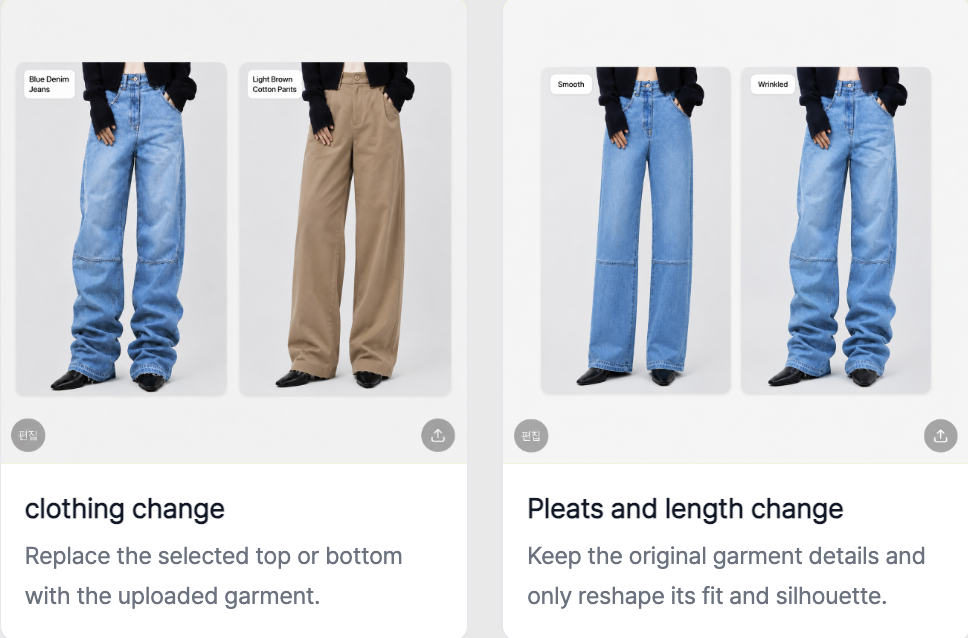
Full outfit replacement is a feature that applies a new outfit to an existing model shot.After uploading a photo of the outfit you want to change to and clicking Create, a result image is generated as if the model is wearing that outfit.
This feature is useful when you want to test multiple products with the same model, background, and pose.You can quickly compare different clothing products, such as tops, bottoms, outerwear, and dresses, as model shots in the same concept.
2. You can change only the outfit shape to create a different silhouette
Outfit shape modification does not completely change the clothes; it adjusts the shape or silhouette of the existing outfit.For example, you can use it when you want to see the outfit with a different feel, such as a looser fit, shorter length, or wider silhouette.
This feature is useful when testing the style direction of a product.Within the same model shot, you can keep the overall mood of the outfit while changing only the fit or silhouette to see which shape looks more natural.
3. You can quickly compare multiple outfit versions using the same model shot
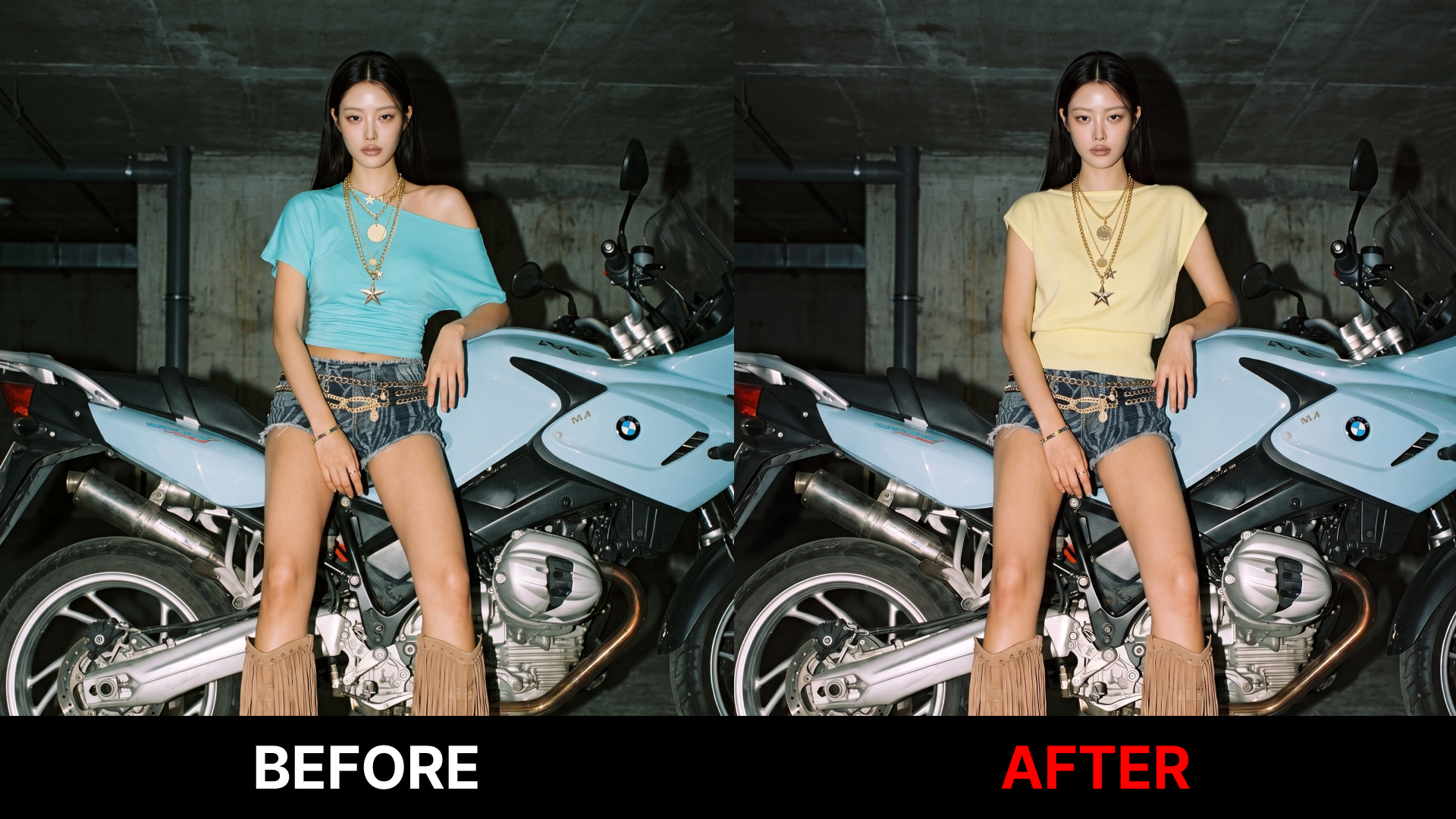
By using full outfit replacement and outfit shape modification, you can expand the same model shot into multiple versions.Using one model shot as a base, you can compare results with different outfits or different silhouettes applied.
For product detail pages, you can quickly create worn-on-model images for each product, and for lookbooks, you can test multiple styling options within the same mood.For social media content or campaign images, it helps you choose the outfit version that better matches your brand concept.
How to use
- Open the Full outfit replacement / Outfit shape modification feature.
- Select the AI model shot you want to edit.
- Upload the clothing photo you want to apply.
- Choose whether to change the entire outfit or only modify the outfit shape.
- Click Create to generate the result.
- Review the result and save the image you like.
💡 Things to keep in mind
If you use the result image for sales purposes, make sure it does not differ significantly from the actual product in color, shape, material texture, or fit.Especially when replacing the entire outfit, it is a good idea to check whether the original product’s details, logo, pattern, and fabric texture are represented naturally.
If you modify only the outfit shape, it may appear as a silhouette that differs from the actual product.When using it on product detail pages or ad creatives, compare it with the original product to make sure consumers do not misunderstand the actual product shape.
Conclusion
RealSnap Full outfit replacement / Outfit shape modification is a useful feature for AI model shots when you want to keep the model, pose, and background while changing only the clothes or modifying only the silhouette.Because you can change only the outfit without recreating the image from scratch, you can quickly test multiple product versions or styling directions.
If you want to expand the same model shot into multiple outfit versions for product detail page worn-on-model images, lookbook images, or social media content, try using this feature.