Can I create editorial shots with fluttering hems and hair using AI?
SNAP|Updated Aug 3, 2026
RealSnap Wind Effectis a feature that can add the appearance of movement to AI model shots, as if clothing and hair are fluttering in the wind.
After adjusting the wind direction and strength and generating the image, you can turn a static model shot into a more dynamic lookbook, location, or campaign image.
My model shot looks too static and doesn’t feel editorial enough
When you create an AI model shot, you may like the overall mood and outfit, but the image can sometimes look too static.Especially for location editorials or campaign images, a little movement in the hems, hair, and silhouette can make the image feel more natural and vivid.
However, creating a windy look in an actual shoot may require the right on-site conditions or equipment.RealSnap Wind Effect helps you set the wind direction and strength on a model shot you’ve already created, so you can produce images with movement like an outdoor shoot.
1. You can adjust the wind direction to create the movement you want
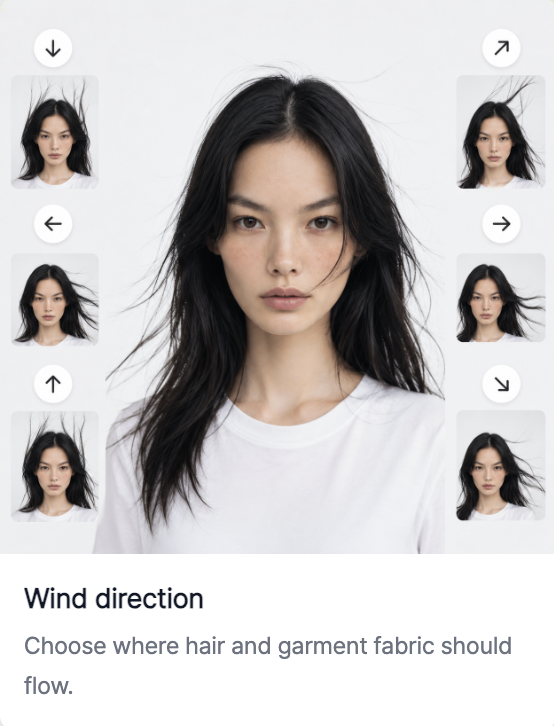
With Wind Effect, you can set which direction the wind is blowing from.The feeling of fluttering hems and hair changes depending on the direction.
For example, wind from the side is great for creating natural movement like a location editorial, while wind from the front or back can show the clothing silhouette differently.Adjusting the wind direction to match the image composition and the model’s direction can create more natural results.
2. You can adjust the wind strength to create a natural editorial mood
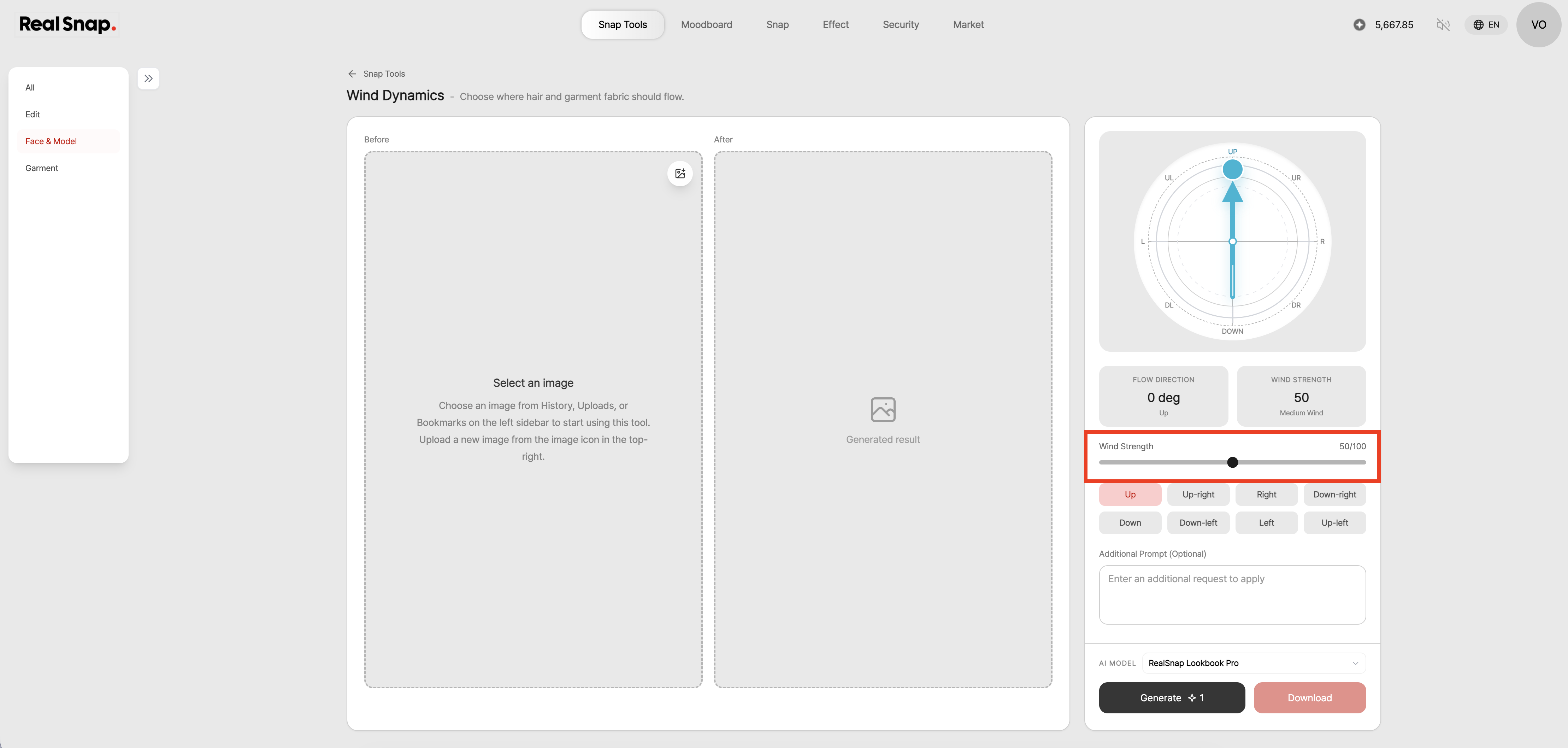
With Wind Effect, you can adjust not only the direction but also the strength of the wind.A light breeze can create a natural feel with subtle movement in the hair or edges of the clothing, while stronger wind can add a more dramatic mood like a campaign editorial.
For product detail page images where the product needs to be clearly shown, subtle movement is better than overly strong wind.On the other hand, for images where mood is important—such as location editorials, seasonal campaigns, or social media content—you can apply slightly stronger wind.
3. You can add liveliness to location, lookbook, and campaign images
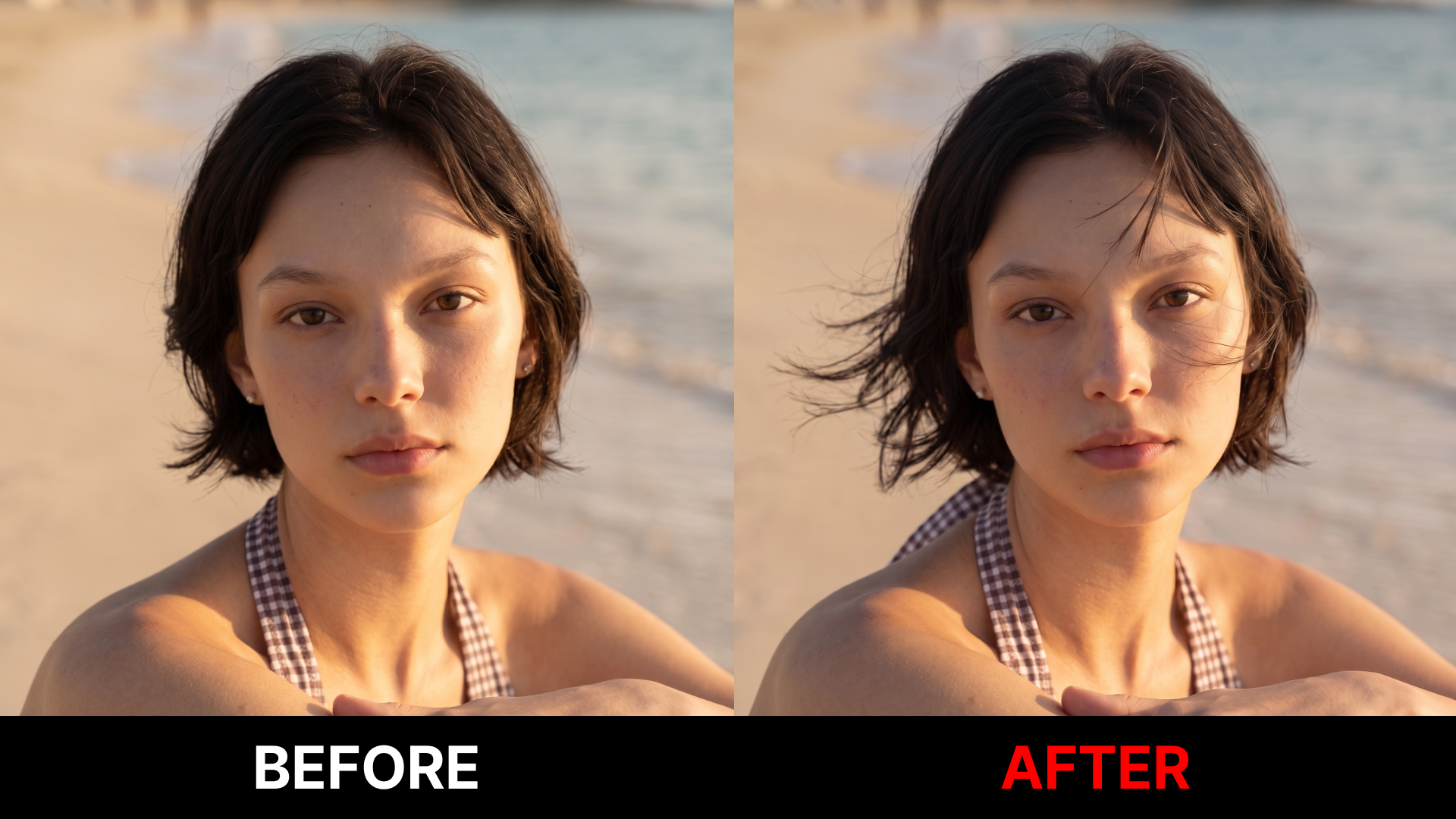
Wind Effect is useful when you want to make a static model shot look more like a vivid editorial image.It works especially well for images where movement feels natural, such as outdoor backgrounds, street editorials, beach campaigns, or seasonal lookbooks.
For example, you can create images where the hem of a coat flutters slightly, long hair moves naturally, or the model looks as if they were shot by the sea or in the city.Even with the same outfit, adding Wind Effect brings out more atmosphere and a stronger sense of being on location.
How to use
Open the Wind Effect feature.
Select the AI model shot you want to work on.
Set the direction the wind is blowing.
Adjust the strength of the wind.
Click Create to check the resulting image.
💡Note
If you use the image for sales purposes, check that the wind effect does not make the actual product’s shape, length, or fit appear overly different.For products with significant hem movement—such as dresses, skirts, coats, or shirts—it’s a good idea to review whether the silhouette differs from the actual product.
If the wind strength is applied too strongly, the hair, hands, clothing wrinkles, or edges against the background may look unnatural.Before using the final image in a lookbook, product detail page, social media, or ad creative, check both its naturalness and how well the product is represented.
Conclusion
RealSnap Wind Effect is a useful feature when you want to add an editorial feel with naturally moving hems and hair to your AI model shots.By adjusting the wind direction and strength, you can add liveliness to a static image and create results with a stronger on-location feel, like a location editorial or campaign image.
If your lookbook image feels a bit flat, or if you want to add natural movement like an outdoor shoot, try testing the mood first with the Wind Effect feature.